

Push notifications
MyArvo can send push notifications ahead of specific timeline entries, so you don’t need to keep the app open to stay on schedule.
Enabling notifications for an entry
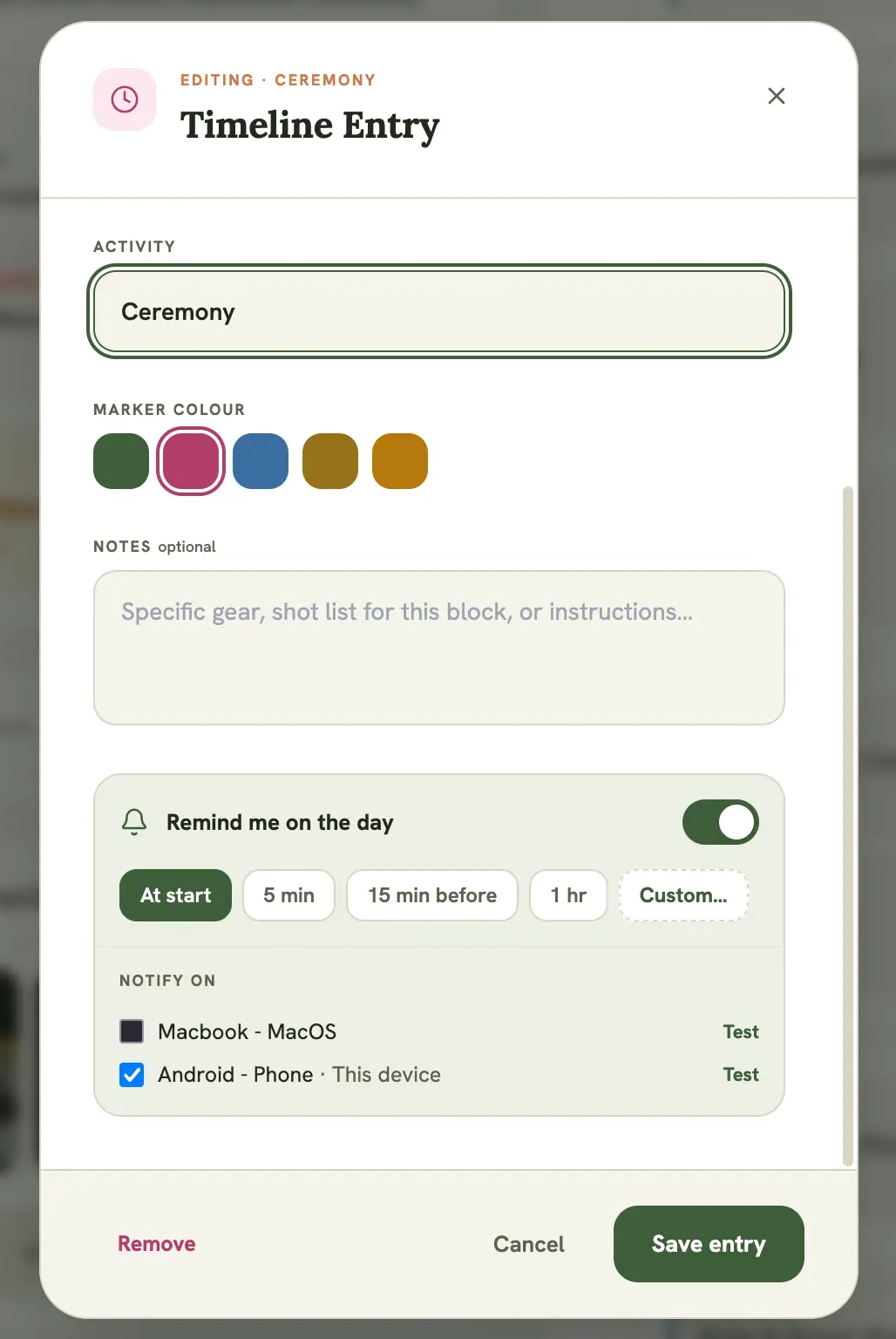
Section titled “Enabling notifications for an entry”Open any timeline item on an event and toggle Remind me on the day. The first time you do this, your browser or device will prompt you to allow notifications. Accept it to register this device.
Registering and managing your devices
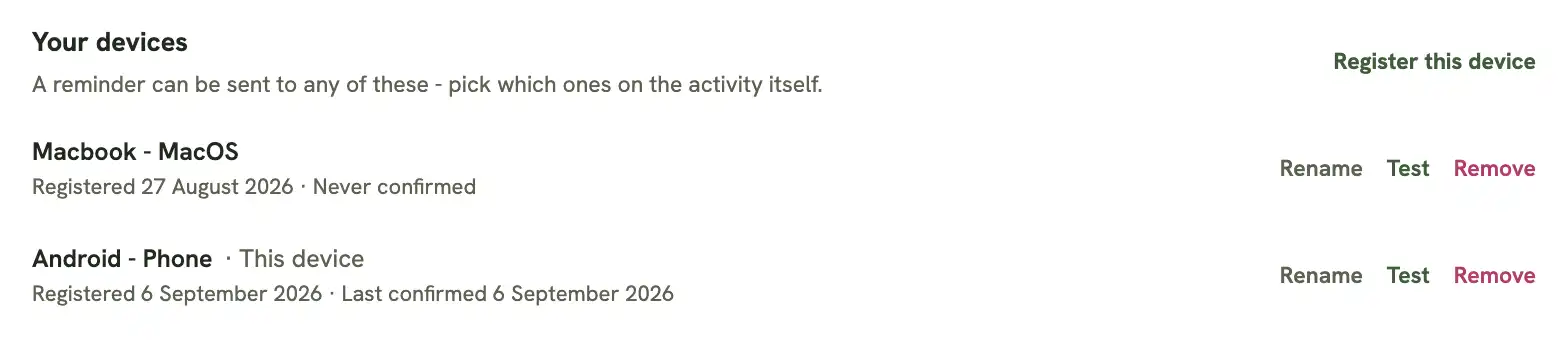
Section titled “Registering and managing your devices”MyArvo can send reminders to more than one device, useful if you check your phone on set but plan your day from a laptop. Every device you’ve enabled notifications on (or added manually) shows up under Settings → Notifications → Your devices:
- Each device is auto-named from its browser and OS (e.g. “Chrome on macOS”, “Safari on iPhone”). Select Rename to give it a name that’s easier to recognize, like “Work phone”.
- The date it was Registered, and the date it was Last confirmed (or “Never confirmed” if a test hasn’t gone through yet)
- Test sends a real push to that device immediately
- Remove stops that device from receiving anything further
To add a device that isn’t already in the list (say, a second phone), open MyArvo on it and select Register this device from the same Settings page.
Choosing which devices get a reminder
Section titled “Choosing which devices get a reminder”When you toggle Remind me on the day on a timeline entry, a Notify on checklist appears listing your registered devices, defaulting to This device. Untick a device to keep that specific reminder off it, useful for sending a ceremony reminder to your phone only, without also buzzing a laptop sitting in the car.
Confirming a device actually works
Section titled “Confirming a device actually works”Before relying on a reminder, especially ahead of something like a wedding, confirm the device that matters is really receiving pushes:
- Select Test next to a device, either from Settings → Notifications → Your devices, or from the device checklist on a timeline entry. It sends a real push immediately.
- The first time you enable a reminder on a device, MyArvo automatically runs the same test in the background. If it isn’t confirmed, a warning appears inline on the entry so you find out right away rather than when a real reminder silently fails to arrive.
If a test doesn’t arrive, see Troubleshooting notifications.
iPhone, iPad, and Mac Safari
Section titled “iPhone, iPad, and Mac Safari”On Safari specifically, push notifications only work once MyArvo is installed:
- iPhone / iPad: add MyArvo to your Home Screen (Share → Add to Home Screen)
- Mac: add MyArvo to the Dock (Safari’s File menu → Add to Dock)
If you try to enable a reminder before installing, you’ll be prompted to do this first, then try again from the installed app. See Settings for installing the app. This is an Apple restriction on Safari; Chrome, Firefox, and Edge don’t need this step.
Turning notifications off
Section titled “Turning notifications off”Toggle Remind me on the day off for that entry, or revoke notification permission entirely from your browser or device’s settings, or Remove the device from Settings → Notifications → Your devices. MyArvo will simply stop sending until you re-enable it.