

Adding gear
Your gear inventory is where you track everything in your kit: cameras, lenses, lighting, audio, anything you bring on a job.
Adding an item
Section titled “Adding an item”- From the dashboard or the Inventory page, select Add New Gear
- Enter a display name and category (Camera Body, Lens, Lighting, Audio, and more)
- Optionally fill in brand, model, serial number, purchase date, and warranty end date
- For camera bodies, you can also record the current shutter count
- Save
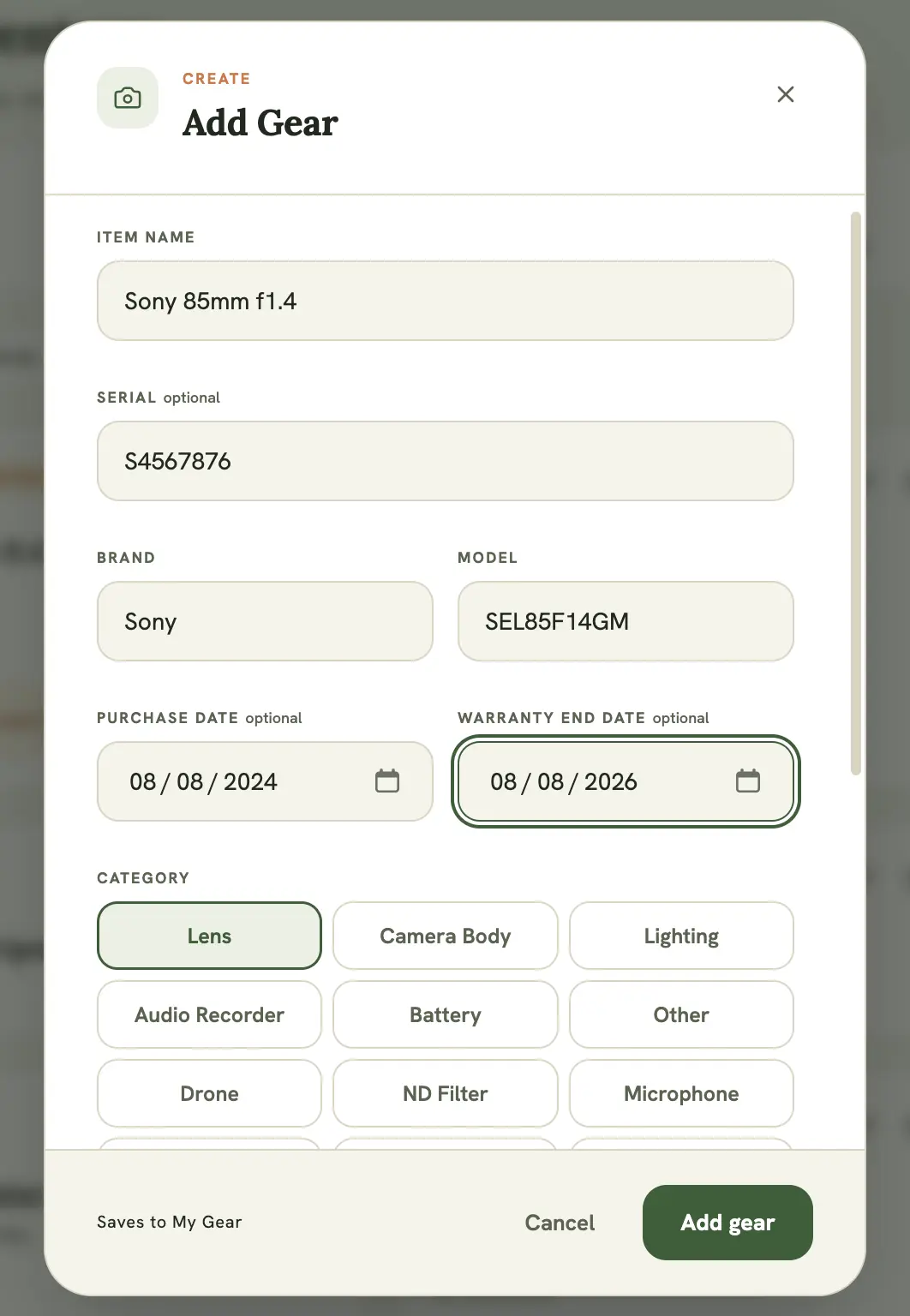
Once added, an item can be flagged for attention, tracked for warranty status, and included in a checklist for a specific shoot.
Filtering your inventory
Section titled “Filtering your inventory”Use the category chips above the gear grid to filter down to just one type of gear. Handy once your kit grows past a couple dozen items.
Editing or removing an item
Section titled “Editing or removing an item”Select the pencil icon on any gear card to edit its details, or the trash icon to delete it. Deleting asks for confirmation first, since it’s permanent.
Private notes
Section titled “Private notes”Each item has a private notes field for anything worth remembering that doesn’t fit elsewhere: scratches, known quirks, or specific settings you use with that piece of gear.