

Pose & prompt library
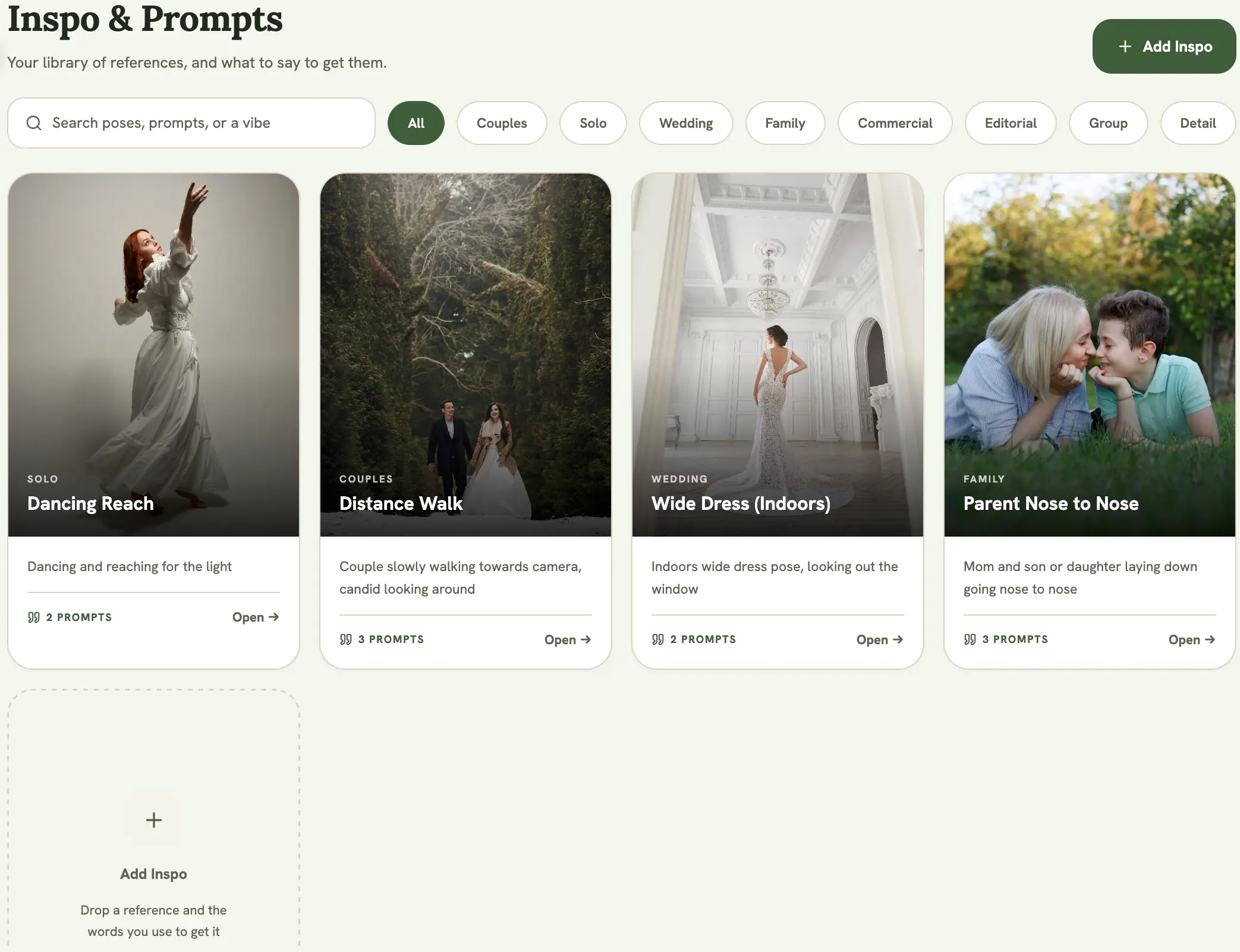
Save posing references you reuse across every shoot in the Pose & Prompt Library (found under Poses in the app), separate from any single event. It’s different from an event’s Inspiration Board, which holds photos for one specific job.
Adding a pose
Section titled “Adding a pose”Adding poses needs a confirmed email address and an active trial or Pro plan. Editing poses you already own stays available on a read-only account.
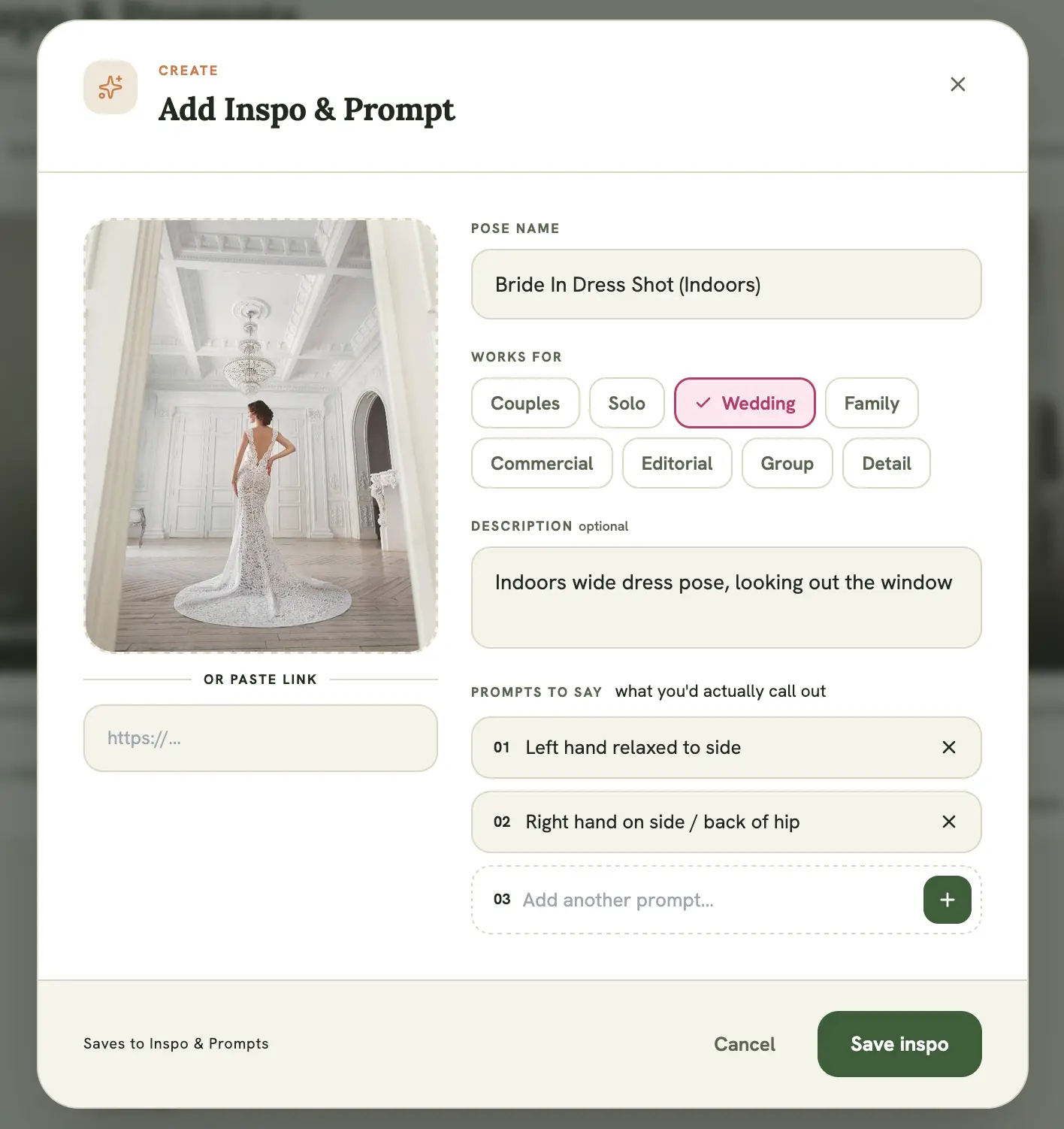
Select + Add Pose, then:
- Upload a reference image (JPEG or PNG; it’s automatically resized and compressed on upload)
- Give it a title
- Pick one or more Works for tags: Couples, Solo, Wedding, Family, Commercial, Editorial, Group, or Detail
- Add a description of the vibe or technical setup
- Add one or more directorial prompts, the verbal cues you’d say to a subject to get them into the pose
Browsing your library
Section titled “Browsing your library”Use the filter chips to narrow the library to one tag. The filters and the Works for tags on the form are the same list, so anything you can tag you can also filter on, and a pose tagged with several tags shows up under each of them. Select any card to open it full-size with its description and prompts.
Why prompts matter
Section titled “Why prompts matter”Directorial prompts are what you’d actually say on set: “chin down, eyes to me” rather than a technical description of the pose. They’re meant to be read at a glance mid-shoot, not studied beforehand.
Removing a pose
Section titled “Removing a pose”Open a pose and select the trash icon to remove it from your library. This is permanent.