

Locker stats
Locker stats give you a quick read on the overall health of your kit, shown on the dashboard alongside your gear status section.
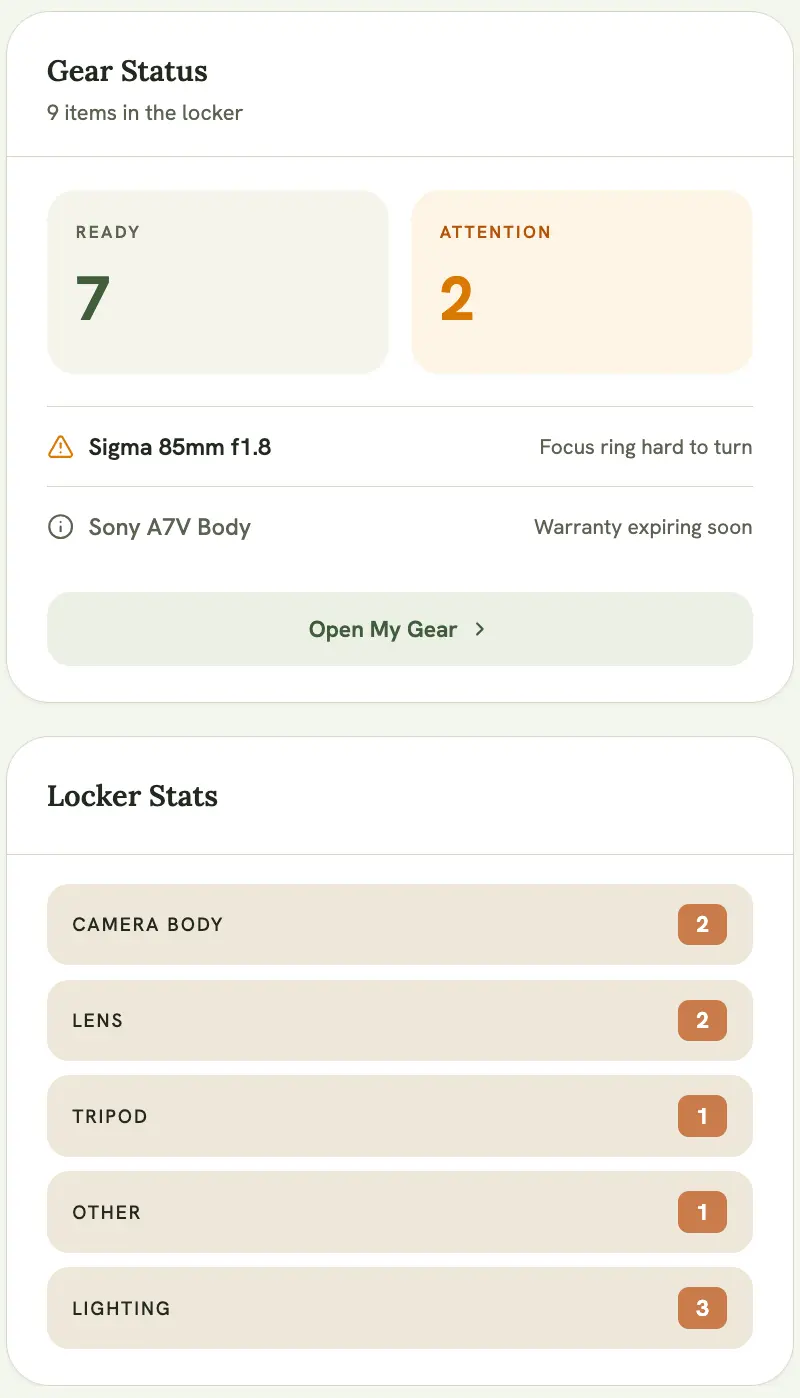
Total Gear
Section titled “Total Gear”The total count of every item currently in your inventory.
The Ready count is your total gear minus anything currently flagged across three sources:
- Manually flagged items: anything you’ve marked with Needs Attention
- Unreturned checklist items: gear assigned to a checklist for an event that’s already happened, but never marked as returned
- Expiring or expired warranties: items whose warranty ends within 30 days, or has already lapsed
If a single item shows up in more than one of these sources (say, it’s both flagged and has an expired warranty), it’s only counted once in the final number, so the count reflects distinct problem items rather than raw flag totals.
Category breakdown
Section titled “Category breakdown”Below the Total Gear and Ready counts, the Locker Stats card breaks your inventory down by category (Camera Body, Lens, Lighting, and so on), so you can see at a glance where the bulk of your kit sits.